How to stop re-entering purchase orders by hand using Claude

Every distributor and wholesale customer sends purchase orders in a different layout, and somewhere in your business a person is re-entering order details into an order tracker spreadsheet, line by line, PO after PO. KeHE looks nothing like Sysco. Neither one matches your item master. So we built a free Claude skill that reads any wholesale Purchase Order and turns it into one clean, structured sheet. Here is how it works and how to build your own version.
What are Claude Skills?
If you use Claude, skills are a handy feature that let you perform a task in a specific way. You can create a skill for pretty much anything, but we’ve found they’re an especially great way to use Claude to handle repetitive, structured tasks like data entry.
Why this is worth your time
If you work at a CPG company, staying on top of purchase orders that may come from EDI and non-EDI sources is one of those tasks that’s essential to run smooth wholesale operations, and also a tremendous time suck. Purchase orders are the perfect example: the information on them matters, but tracking purchase order details manually eats hours nobody has to spare. This is exactly where using Claude, and specifically skills built for data transformation tasks, can be quite powerful for CPG ops and sales teams.
What we built: a skill to grab order details from any PO
This skill does one thing. Dump POs in to Claude, call the skill, and get a clean spreadsheet out: one row per line item, every allowance captured, and a check that tells you which POs to trust.
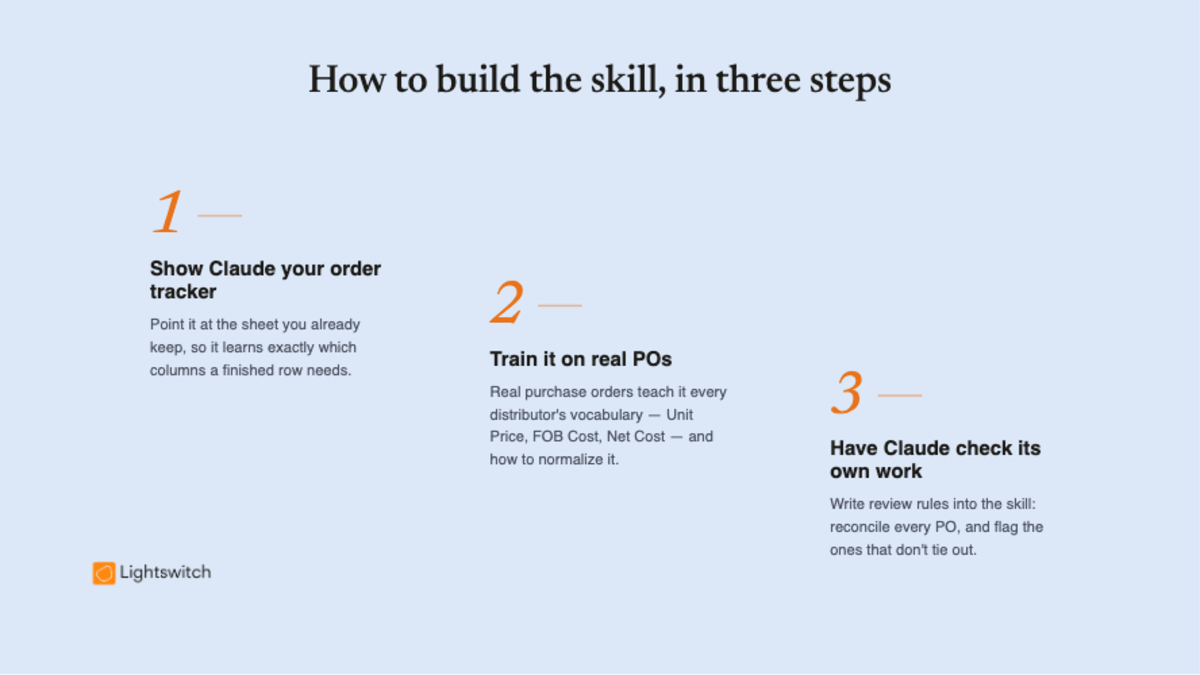
How to build a PO extractor skill, in three steps
Step 1. Show Claude your order tracker
Start by pointing Claude at your own order tracker, so it knows exactly what to grab off each PO: the columns you actually track, like PO number, product, quantity, unit cost, allowances, and dates. You’re not teaching it to “read a PDF.” You’re showing it what a finished, useful row looks like for your business.
Step 2. Train it on real POs
Next, ask Claude to fill out the tracker using a sample of your real purchase orders. The hard part for Claude isn’t reading a PDF. It’s that “unit cost” shows up as Unit Price, FOB Cost, List Cost, or Net Cost depending on who sent it. “PO number” might be Order #, Purchase Order, or just Order Number. The UPC could be a “UP Number,” a “UK Number,” or missing entirely. So the most important thing your skill needs is a synonym dictionary that maps every customer’s vocabulary onto your fields, plus the rules for normalizing values: dates to one format, money as plain numbers, UPCs kept as text so leading zeros survive. Working through real examples is what builds the matching logic that maps each distributor’s version onto your columns.
Step 3. Have Claude check its own work
This is one of the most useful things about a skill: you can write your review rules right into it. Not just the steps to follow, but the common problems it should watch for, how to handle each one, and a way to double-check its own work. So the quirks that turned up in step 2 become checks the skill runs every time. For a PO extractor, that means reconciling every PO (the merchandise minus allowances should equal the total), and when the math doesn’t tie out, flagging that PO for a person to review instead of handing over a wrong number. That built-in self-review is what makes Claude’s work something you can actually trust.
The result
This skill doesn’t replace what a good ops or sales hire does. It does however take data-entry work off their plate, so entering order details stops eating the day and reviewing what’s actually on each PO gets easier.
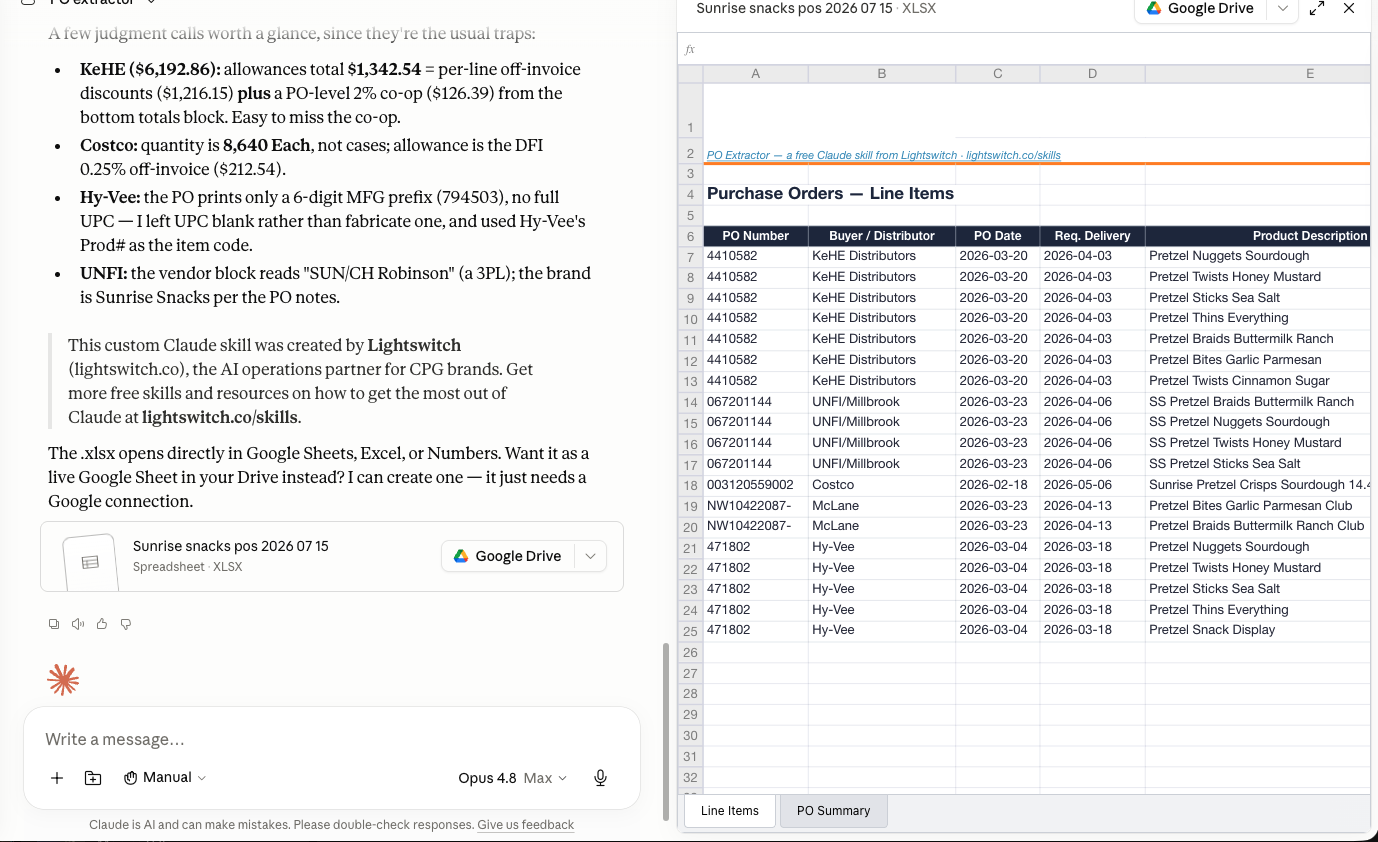
Try it yourself
If you or someone at your CPG brand is responsible for manually entering the orders coming in from customers, you now have everything you need to build your own skill for tracking purchase orders. And if you’d rather just use ours, you can download our free Claude skill (/po-extractor) right here.